
Quick answer: how many people can play MECCHA CHAMELEON?
The current official Steam listing presents MECCHA CHAMELEON as an online multiplayer game with a recommended 2–10 player range. That makes the practical answer 2 to 10 people for the normal match format, but it should not be treated as a promise that every public lobby will always contain ten players. Match availability, the host, the selected map, and the live game build can change what you see.
For a small group, two or three players can still be useful for learning the paint, disguise, and seeker loop. Four to six players usually gives a better mix of hiding routes and search pressure. Near the top of the range, voice coordination and a stable host matter more because a crowded room creates more simultaneous movement, paint decisions, and network events.
This page focuses on player count and joining rather than repeating the general strategy guide. If you need the basic hider/seeker loop, start with the MECCHA CHAMELEON guide; if your issue is a keybind or controller prompt, use the controls guide instead.
Player count at a glance
Use the table as a planning guide, not as a substitute for the live Steam page or the lobby UI. The store range describes the intended multiplayer scale; it does not guarantee a fixed public matchmaking population.
| Question | Practical answer | Why it matters |
|---|---|---|
| What is the advertised range? | 2–10 players | The official listing is the safest reference for the current intended scale. |
| Can two people play? | Yes, as a small learning group | The round is quieter, so both players can learn the paint and search rhythm. |
| Are public lobbies available? | The current listing describes public and private play | A public room can depend on region, time, host availability, and the live build. |
| Is ten a guaranteed lobby size? | No | A recommended maximum is not the same as a promise that every room fills. |
| What if a friend cannot join? | Check invite, build, map, and host connection in that order | Most failures are setup or session mismatches rather than a player-count rule. |
What the 2–10 player range means in practice
A player-count query often sounds like a simple number, but multiplayer games use that number in several ways. The lower end tells you whether the game can still be useful for a small friend group. The upper end tells you the intended scale of a full round. It does not tell you how many people are online at this exact moment, how many slots a particular public room has open, or whether a Workshop map handles the same crowd cleanly.
The safest wording is therefore: MECCHA CHAMELEON is presented for a 2–10 player multiplayer range, while the actual lobby can be smaller. If a video shows a very large crowd, do not assume that every player is in one standard match; clips can combine rounds, spectators, a special map, or a different build. Check the current Steam listing and the in-game lobby before planning a ten-person session.
For hiders, more players create more noise and more opportunities to use a busy scene as cover, but they also create more movement near the same hiding surface. For seekers, a fuller lobby means more visual information and more false positives. The sweet spot depends on whether your group wants a calm tutorial round or a chaotic party match.
- Treat 2–3 players as a learning or test session.
- Use 4–6 players when you want readable rounds with meaningful choices.
- Use 7–10 players only after the host, voice channel, and map load have been tested.
- Do not turn an empty public lobby into a fake player-count claim; report the room you actually see.
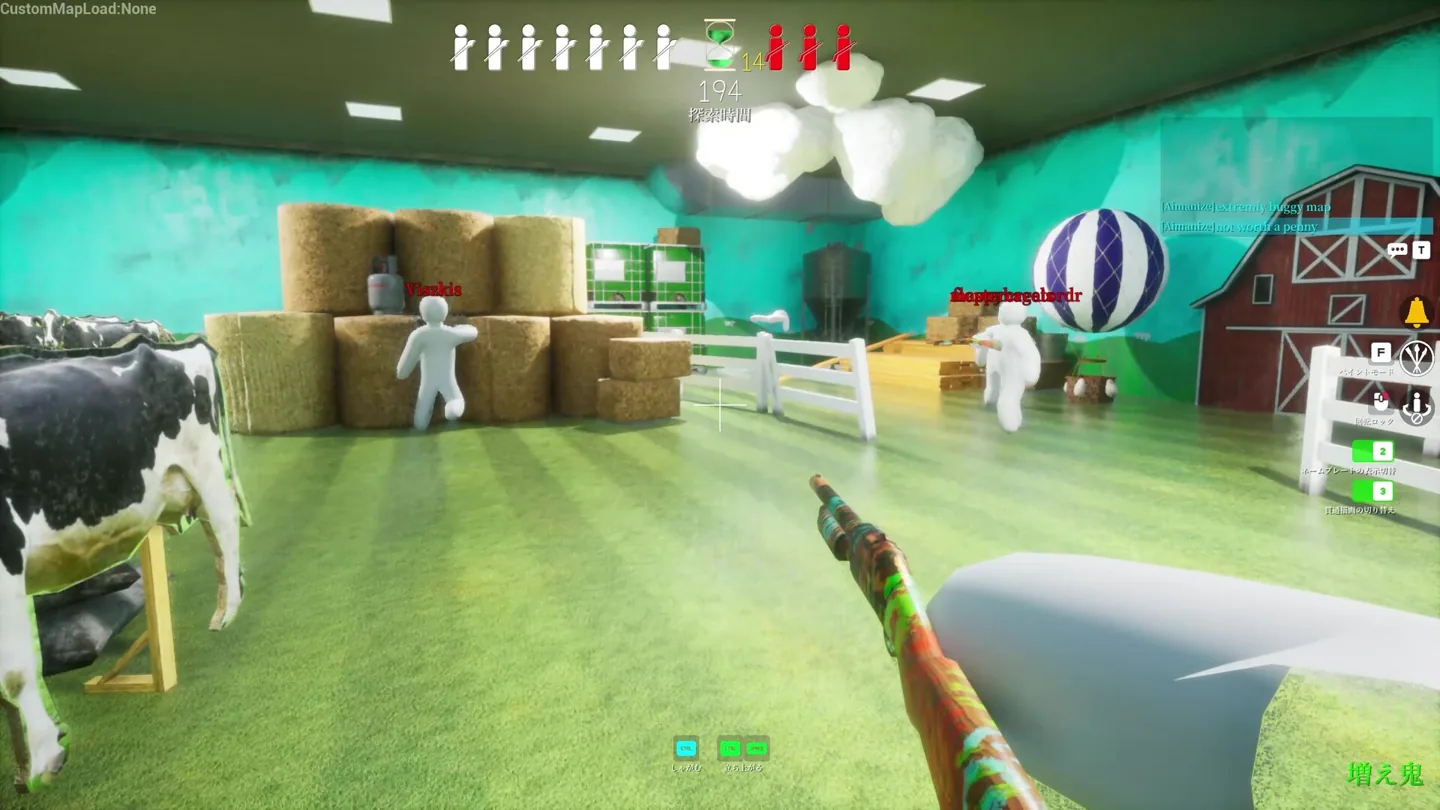
Public lobbies vs private matches
Public lobbies are convenient when you want to find a match without organizing a full group. Their tradeoff is less control: the room may fill slowly, the host may be far from some players, and the map or rules may not be what your group expected. A public room is also a poor place to diagnose a private invite problem because there are too many changing variables.
A private match is better when your group is testing player count, learning the map, or trying to keep a conversation together. Start with the smallest reliable session, confirm that every person can see the lobby and load into the round, then add more players. If the room breaks only after adding a custom map, repeat the test on the base or official map before changing network settings.
The HUD is part of the evidence. After the match starts, check that the round timer, team or player indicators, and interaction prompts appear. A friend who is technically listed in the lobby but never reaches the playable HUD is not a successful join yet; treat that as a loading, version, map, or connection issue.
- Choose the room type.
Use a public lobby for discovery, or a private room when the group needs predictable membership and a controlled test.
- Confirm the host.
Pick the player with the most stable connection and let that person create or reopen the room.
- Test the base game first.
Before adding a Workshop map or unusual settings, make sure a normal round loads for everyone.
- Read the HUD.
A successful join ends when the player can move, see the round state, and use the expected interaction prompts.
How to play MECCHA CHAMELEON with friends
The exact button labels can change with Steam and game updates, so use the current lobby controls rather than following a screenshot from an old patch. The dependable flow is to have one person host, invite or join through the Steam friend surface, and verify the lobby before starting. If a friend cannot see the invite, check that Steam shows both accounts as online and that the invite is being sent from the active game session.
Do not add a new player to a broken session repeatedly. Close the room, let the same host create a fresh private lobby, and test with one friend. If that works, add the rest of the group one at a time. This produces useful evidence: you can tell whether the failure belongs to one account, the host connection, the map, or the size of the room.
When friends join from different regions, a delay can feel like a player-count limit even when the room is within the 2–10 range. Ask the missing player to wait for the lobby to finish loading, then check the in-game HUD. If the game returns them to the menu, capture the exact message and repeat on a base map before searching for a workaround.
- Start with one host.
Choose the most stable connection and keep the first test private so the group can identify the real room.
- Invite one friend.
Use the active Steam/game invite path, then wait until the friend is visibly present in the lobby.
- Load a simple round.
Confirm movement, paint interaction, the round timer, and the HUD before inviting more players.
- Scale up gradually.
Add players one at a time. If the next join fails, the previous successful state gives you a useful comparison.
Which match size is best for your group?
There is no single best lobby size. A two-player session is good for learning controls and testing whether a new map loads, but it may feel less like a full hide-and-seek round. Four to six players gives a group enough movement to create decoys without making the search unreadable. Seven to ten players creates the busiest party feel, yet it also magnifies voice-chat overlap, host latency, and confusion about who has loaded successfully.
Use the smallest group that answers your question. If you are checking whether a friend can join, do not begin with ten people and three custom maps. If you are hosting a party night, test the room earlier, keep a backup base map, and tell everyone which player is hosting. That preparation protects the session even when the final lobby is smaller than planned.
| Group size | Best for | Watch for |
|---|---|---|
| 2–3 | Learning, testing invites, checking a map | Rounds can feel quiet and expose every movement mistake. |
| 4–6 | Balanced friend sessions and readable strategy | A weak host or a broken map becomes noticeable. |
| 7–10 | Party chaos and crowded sightlines | Voice overlap, loading delays, and host/network strain. |
| Unknown public room | Quick discovery | Do not assume the room will fill or use the same map as a video. |
Common multiplayer limits and troubleshooting
When a friend asks whether MECCHA CHAMELEON supports more players, the first check is the official listing and the current lobby UI. The second check is whether everyone is on the same live game build. The third is the map. Workshop content can add another layer of loading or compatibility, so a missing friend on one custom map does not prove that the base multiplayer mode has a smaller player count.
Keep the diagnosis narrow. Restarting the whole network may be unnecessary if only one invite fails. Instead, compare a private base-map lobby with the failing room, verify that the friend is online in Steam, and ask whether they reach the playable HUD. If the base test works, return to the custom content or map owner for the next explanation. If the base test fails for every friend, keep the host and session details ready before asking for support.
This guide does not claim cross-platform support, a permanent server capacity, or a guaranteed public population. The store description and live build can change. Treat the 2–10 range as the current planning boundary, not as a reason to download unofficial files or trust a third-party lobby tool.
- Invite fails before the lobby: check Steam presence, privacy, and the active host session.
- Friend appears but cannot load: test the base map and compare the game build.
- Round loads but HUD is missing: wait for the session to finish, then capture the visible error or return state.
- Only a custom map fails: keep the base-game result as your control test.
- Public room is empty: treat it as an availability snapshot, not proof that multiplayer is unavailable.
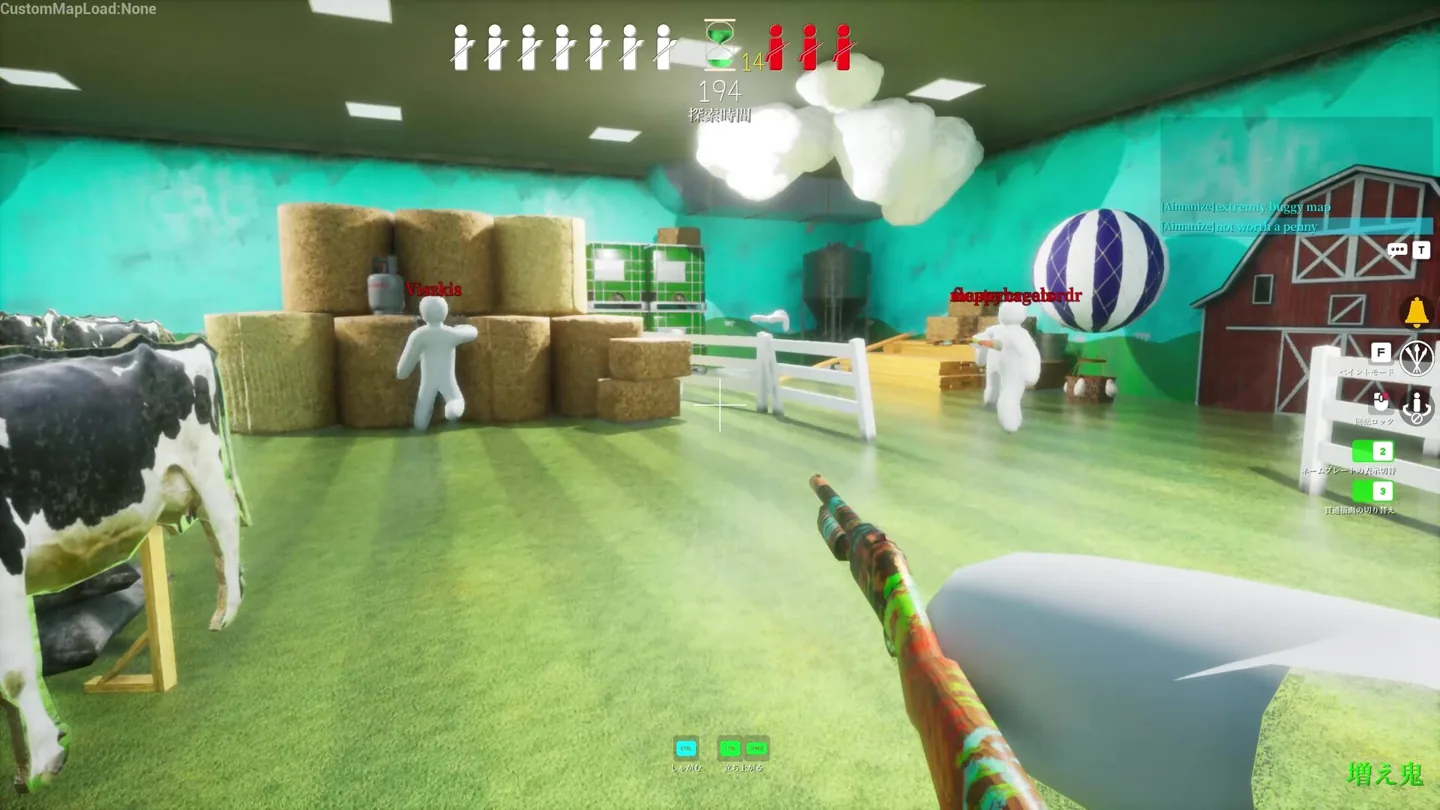
Sources checked
The official Steam listing is the primary reference for the current player range and online-play description. The developer site is included as a second official place to verify game identity. Store UI, maps, and lobby behavior can change, so recheck them before a group session.
MECCHA CHAMELEON multiplayer FAQ
How many people can play MECCHA CHAMELEON?
The current official Steam listing presents a 2–10 player range. A live public room can be smaller, and the final experience depends on the host, map, region, and current build.
Does MECCHA CHAMELEON have public lobbies?
The current listing describes public and private multiplayer options. Use the live lobby UI to confirm what is available in your region and build instead of relying on an old video.
How do I join a friend in MECCHA CHAMELEON?
Have one person host, use the active Steam or in-game invite path, wait for the friend to appear in the lobby, and verify that the friend reaches the playable HUD before adding more players.
Can two people play MECCHA CHAMELEON?
Yes, the 2–10 range makes a two-person test or learning session a reasonable starting point. It will be quieter than a full party round.
Why can my friend see the lobby but not enter the round?
Test the base map, confirm both players are on the same live build, keep the same host, and check whether the friend reaches the HUD. A Workshop map or loading failure can look like a player-count limit.
Does the player count prove cross-platform support?
No. A player range describes the intended multiplayer scale, not every platform combination. Check the current official store and platform details before planning a mixed-device session.
Independent fan guide. Not affiliated with MECCHA CHAMELEON, Steam, the developer, or any publisher. Player limits, lobby labels, map compatibility, and online availability may change with future updates.